In brief
- Make a bot with @BotFather and keep its token secret.
- Add the bot to your channel as an administrator with the right to post messages.
- Find the channel's chat id: its @username if it is public, a number starting with -100 if it is private.
- Post each signal with
sendPhoto: the chart as the photo, the levels in the caption. - Keep the message id Telegram sends back, and post every update as a reply to it.
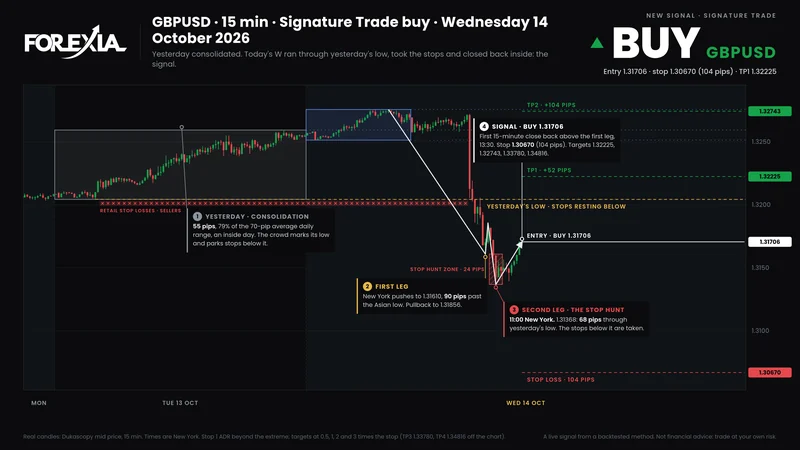
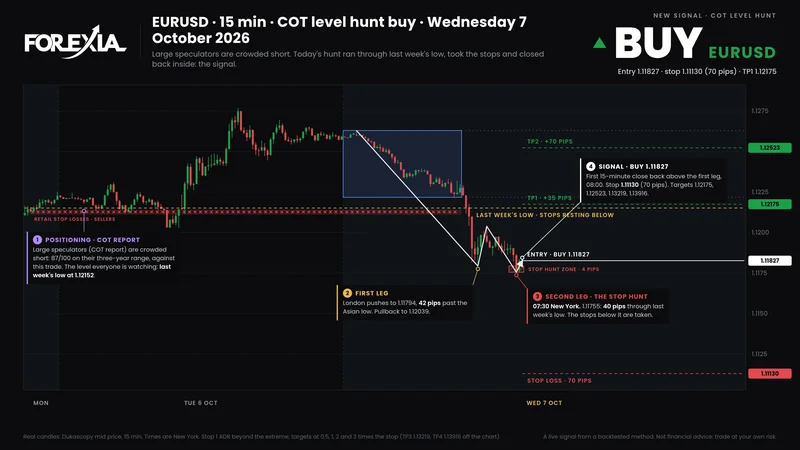
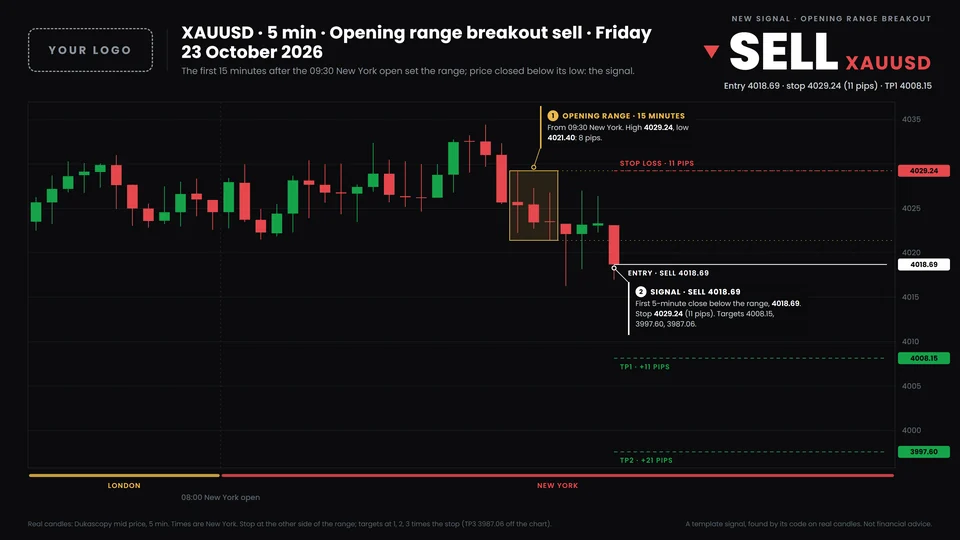
Our signal bot has posted every signal in Forexia's Telegram channels since 4 October 2026: the chart, the levels, then a reply at every target and at the stop with the chart redrawn. It does all of that with two methods of Telegram's Bot API. This is how to set up the same for your own channel, with the calls our bot makes.
Make the bot
Open a chat with @BotFather, Telegram's own bot for making bots, and send /newbot. It asks for a name, which members see, and a username, which must end in "bot". It answers with a token: a long string with a colon in it.
The token is the bot's password. Anyone who has it can post as your bot, in every channel it administers. Keep it out of your code, your repository and your screenshots; ours reads it from an environment variable, TELEGRAM_BOT_TOKEN. If it leaks, send /revoke to BotFather and it issues a new one.
Add it to the channel
In the channel, open its info, then Administrators, then Add Admin, and search for the bot's username. Give it the right to post messages. A signal bot needs nothing else: not the right to add members, change the channel's info or delete messages. The fewer rights it has, the less a leaked token can do.
Use a channel, not a group, for the signals: in a channel only admins post, so nothing buries a signal. If you want members to talk, link a discussion group to it.
Find the channel's chat id
Every call names the chat it posts to. A public channel can be named by its username, @yourchannel. A private channel has none, so it needs its number, which starts with -100. To find it, post anything in the channel once the bot is an admin, then open this address in a browser, with your token in it:
https://api.telegram.org/bot<token>/getUpdatesYour post is in the answer as a channel_post, something like this, and chat.id is the number:
{"ok":true,"result":[{"update_id":1,"channel_post":{"message_id":2,
  "chat":{"id":-1001234567890,"title":"My signals","type":"channel"},"text":"hello"}}]}
getUpdates does not work while the bot has a webhook set: remove the webhook first, or read the id from what the webhook receives.
Post the signal with its chart
A signal is a photo with a caption: sendPhoto, sent as a form so the chart is uploaded with it. The caption holds the levels, and can be up to 1,024 characters: plenty for a signal. From a terminal, to try it:
curl -F chat_id=-1001234567890 \
     -F photo=@signal.png \
     -F caption="SELL USDCHF · Entry 0.83852 · Stop 0.84429" \
     https://api.telegram.org/bot<token>/sendPhoto
In code it is the same form. This is the shape of our bot's call (it runs on Node, which has fetch, FormData and Blob built in):
const api = 'https://api.telegram.org/bot' + process.env.TELEGRAM_BOT_TOKEN;

async function postSignal(chatId, caption, png) {
  const form = new FormData();
  form.append('chat_id', chatId);
  form.append('caption', caption);
  form.append('photo', new Blob([png], { type: 'image/png' }), 'signal.png');
  const res = await fetch(api + '/sendPhoto', { method: 'POST', body: form });
  const j = await res.json();
  if (!j.ok) throw new Error('Telegram: ' + j.description);
  return j.result.message_id; // keep it: every update replies to it
}
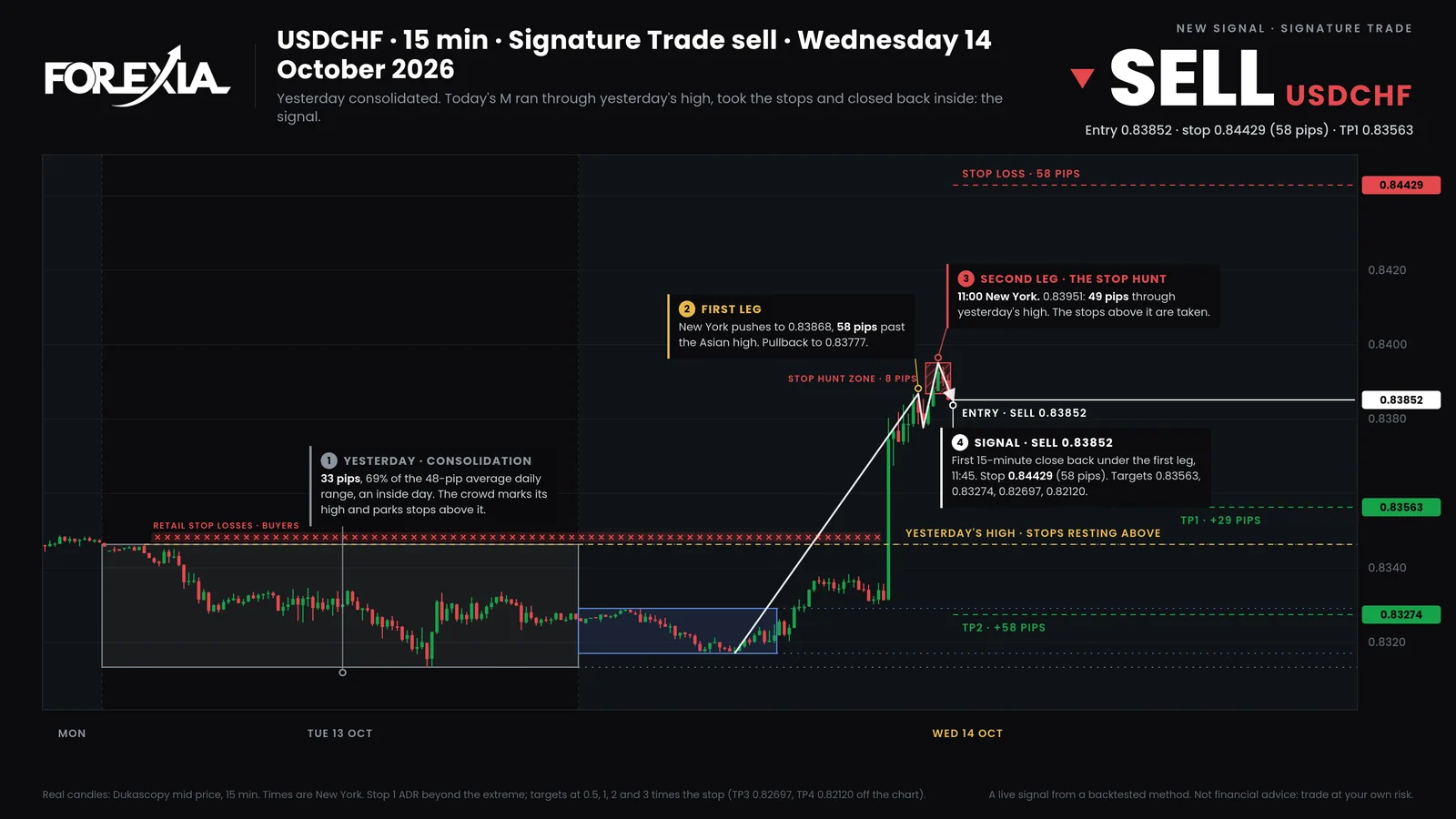
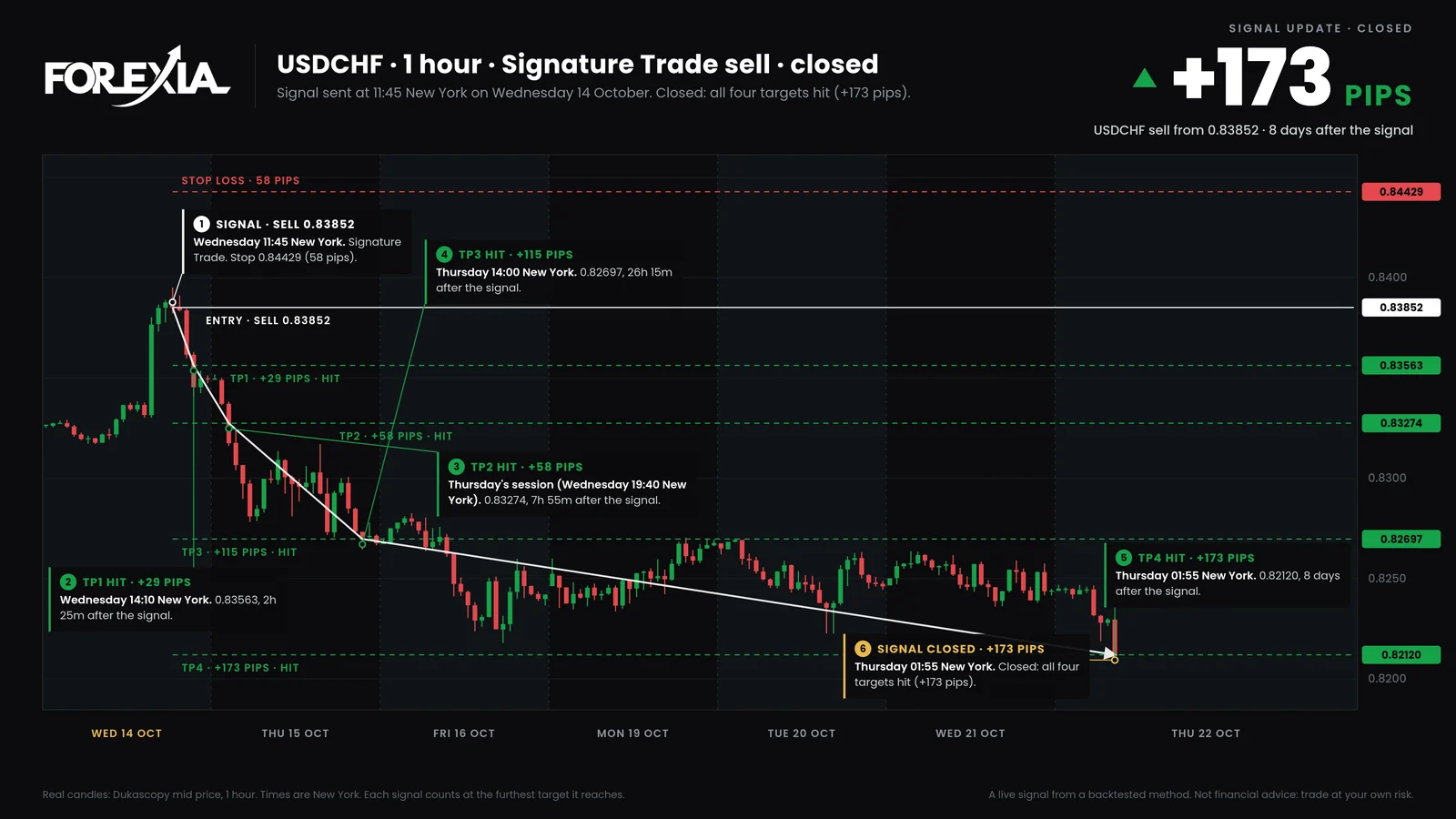
This is what it posted for the USDCHF sell of 14 October 2026, at 11:45 New York time. The chart at the top of this post was the photo; the caption began:
🔴 SELL USDCHF · Signature Trade Entry: 0.83852 (market) Stop: 0.84429 (58 pips) TP1: 0.83563 (+29 pips) TP2: 0.83274 (+58 pips) TP3: 0.82697 (+115 pips) TP4: 0.82120 (+173 pips)
After the levels, the caption says how the signal is counted and carries a risk warning. A line of numbers alone does not show where price is now, or why the trade exists; the chart does both.
Reply to it at every target
When a target is hit, post a reply to the signal, not a new message. A reply shows a quote of the signal above it, so a member scrolling the channel sees which trade the update belongs to, and a tap on the quote jumps to the signal. Keep the message_id Telegram returned for the signal and send it back with the update:
async function postUpdate(chatId, signalId, text, png) {
  const form = new FormData();
  form.append('chat_id', chatId);
  form.append('caption', text);
  form.append('reply_to_message_id', String(signalId));
  form.append('photo', new Blob([png], { type: 'image/png' }), 'update.png');
  const res = await fetch(api + '/sendPhoto', { method: 'POST', body: form });
  const j = await res.json();
  if (!j.ok) throw new Error('Telegram: ' + j.description);
}
Newer versions of the Bot API describe the same thing with a reply_parameters object; reply_to_message_id, which ours sends, still works. The USDCHF sell got 5 replies, each with the chart redrawn:
- Wed 14 Oct, 14:10. TP1 hit: 0.83563 (+29 pips).
- Wed 14 Oct, 19:40. TP2 hit: 0.83274 (+58 pips).
- Thu 15 Oct, 14:00. TP3 hit: 0.82697 (+115 pips).
- Thu 22 Oct, 01:55. TP4 hit: 0.82120 (+173 pips).
- Thu 22 Oct, 01:55. Closed: all four targets hit (+173 pips).
One signal posted to two channels has a different message id in each. Ours posts every signal to the ForexiaPRO channel and, when the month's allowance has room, to the free one, and keeps one id per channel, so each reply lands under its own signal.
What goes wrong
- A send fails. Telegram answers every call with
ok, and adescriptionwhen it is false. Check it. Our bot keeps a copy of every message it means to send, sent or not, and a signal that reached no channel is tried again on the next pass, five minutes later. - A restart posts old signals. A bot that scans the chart when it starts can find a setup from hours ago and post it as new. On its first pass ours marks every setup more than three hours old as already seen, and it never sends a signal older than that: a late signal is a different trade.
- Too many messages. Telegram limits how fast a bot posts, and a call over the limit gets a 429 error that says how many seconds to wait (
retry_after). A channel posting a few signals a day never comes close; a bot posting to many channels at once can. - Testing in the live channel. Make a private channel of your own for tests. Ours sends nothing until it is told to (
LIVE_SEND=1); until then every message goes to its outbox only, and a test command sends one message to a chat we choose. - The time. Give it in one zone, always the same one. Ours posts in New York time.
Or let the bot do all of it
Everything above is the plumbing. The work is the rest: scanning 8 markets every five minutes, drawing a chart for every signal and redrawing it at every update, following each signal to its end, pacing a free channel. TradingSignalBot does that for Forexia's channels today, and early access opens it to yours, with your logo on the charts. How it works has the rules it follows.